Breeze Client
A client that doesn't get in your way
How it works
Three steps, and you are playing
Breeze is a launcher on your computer and a mod inside Minecraft. You only install the launcher; it puts everything else in place.
-
Download the launcher
One installer for Windows, macOS or Linux. Breeze is free.
-
Sign in with Microsoft
Use the account you already play Minecraft with. Breeze never sees your password.
-
Pick a version and press Play
The launcher downloads the right Java, Fabric and the Breeze mod for that version, then starts the game.
In the game
Your own menu in Minecraft
Breeze replaces the title screen with its own menu: Singleplayer, Multiplayer, your modules, the Wardrobe and your friends in one place. In a world, Right Shift opens it.
Prefer Minecraft's own title screen? Turn it back on in Breeze's settings; Breeze stays one key away.
The menu, step by step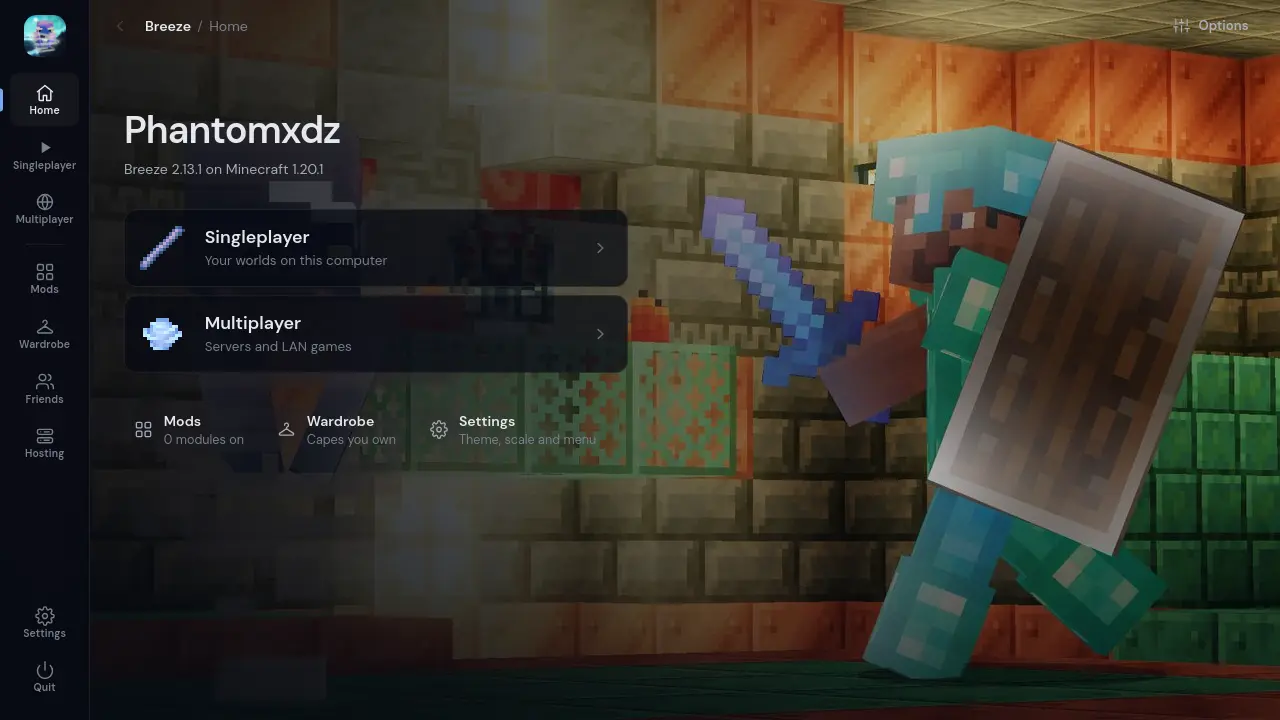
Modules
81 modules, each with its own settings
Switch on only what you want. Every module has a switch and its own settings, and any of them can go on a key.
- HUD: FPS, CPS, Coordinates, Keystrokes, Armor, Potion Effects, Ping
- Visual: Zoom, Low Fire, Custom Crosshair, Block Overlay, Item Physics
- Utility: Toggle Sprint, Toggle Sneak, Fullbright, Shulker Tooltips
Drag HUD elements where you want them in the HUD editor. They snap to the edges and to each other, and keep their place at any window size.
Every module and what it does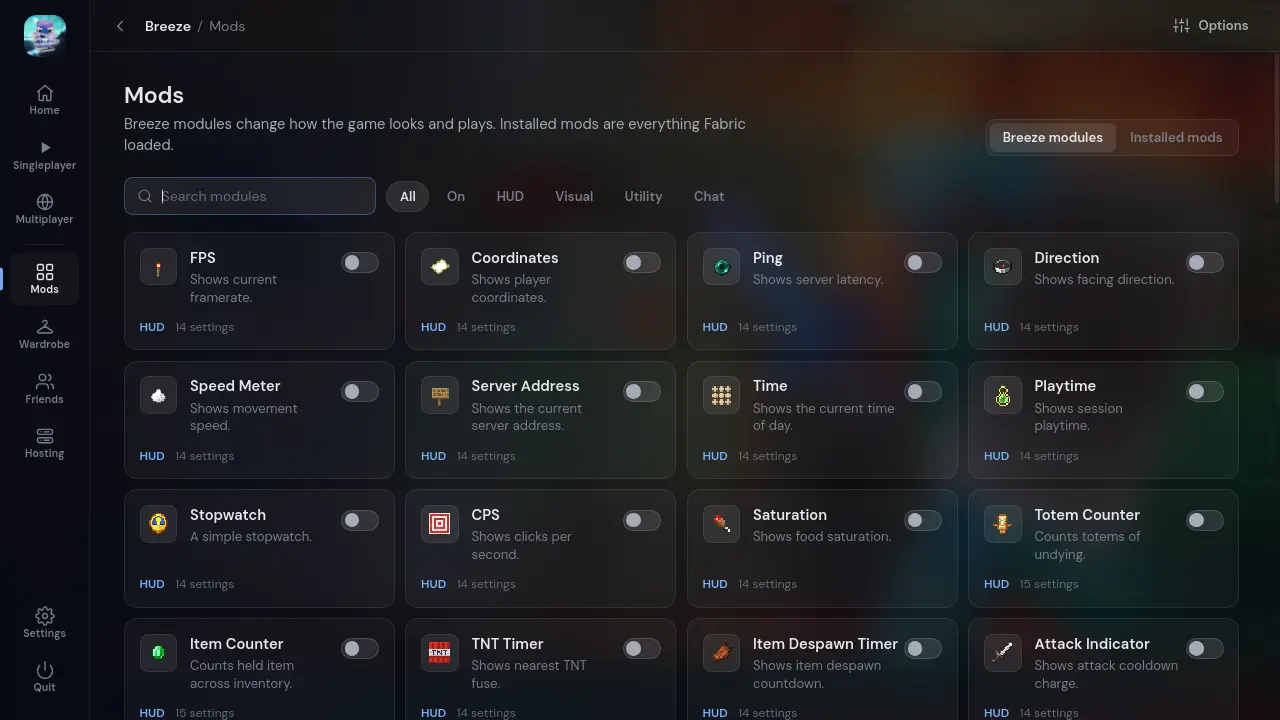
Cosmetics
Capes and cosmetics other players see
Capes, hats, wings, pets and more, made by Breeze creators. Equip what you own from the Wardrobe in the game or the launcher's Style page, and every Breeze player sees it on you.
Your tag sits beside your name in the world, the tab list and chat.
How cosmetics work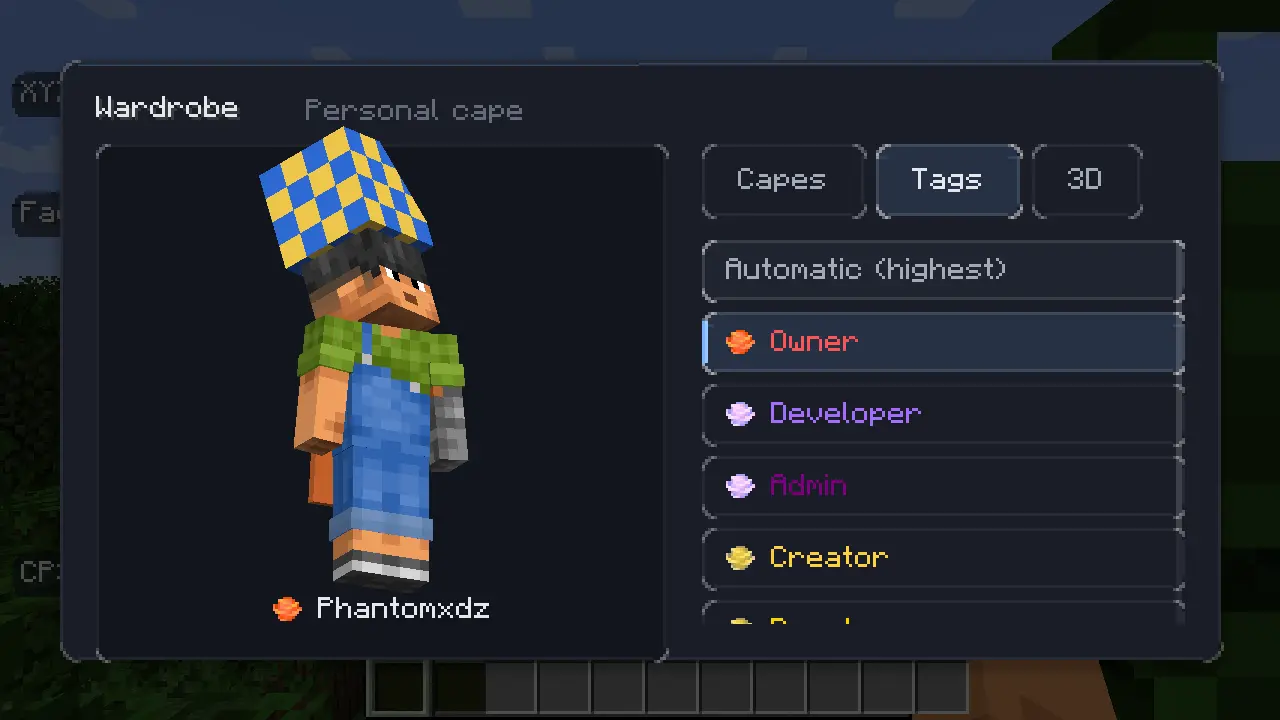
Versions
Minecraft 1.17 to 26.3
34 Java Edition releases. Each one needs its own Java, and the launcher fetches it from Mojang the first time you play that version.
- 1.17
- 1.171.17.1
- 1.18
- 1.18 to 1.18.23 versions
- 1.19
- 1.19 to 1.19.45 versions
- 1.20
- 1.20 to 1.20.67 versions
- 1.21
- 1.21 to 1.21.1112 versions
- 26
- 26.1 to 26.35 versions
Download
Get Breeze
Free, for the computer you play on. You need a Microsoft account that owns Minecraft: Java Edition.
Every file with its size and SHA-256, and how to install on each system: the download page. Windows may warn you the first time because Breeze is not signed yet: why that is safe. New to Breeze? Getting started.